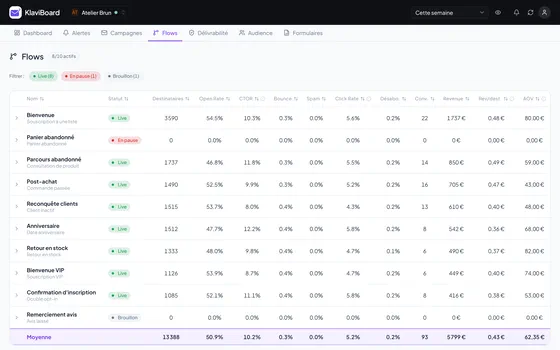
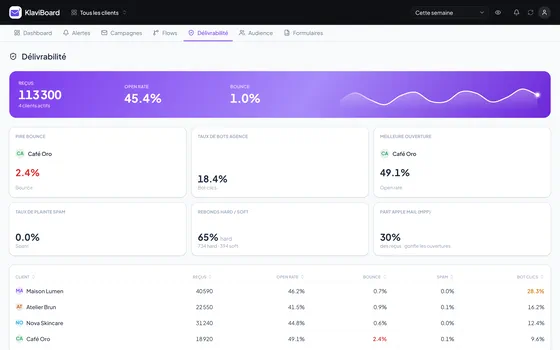
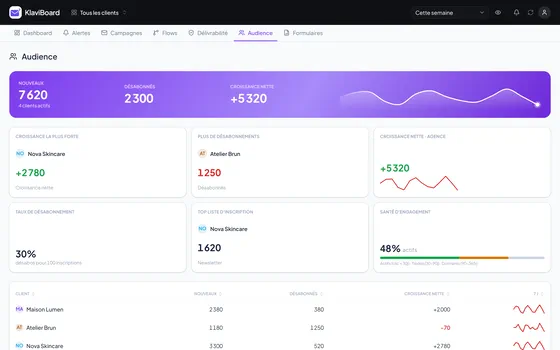
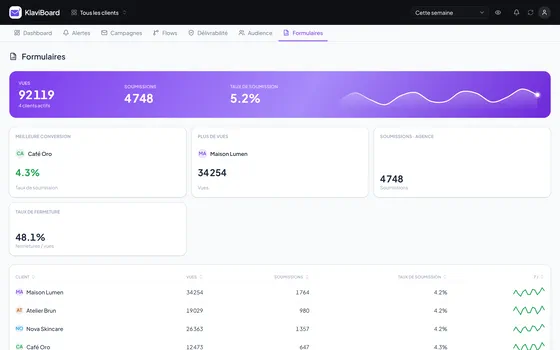
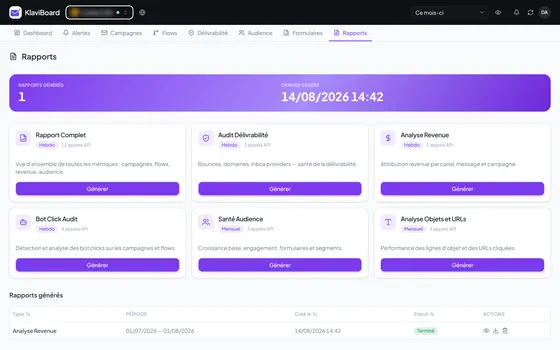
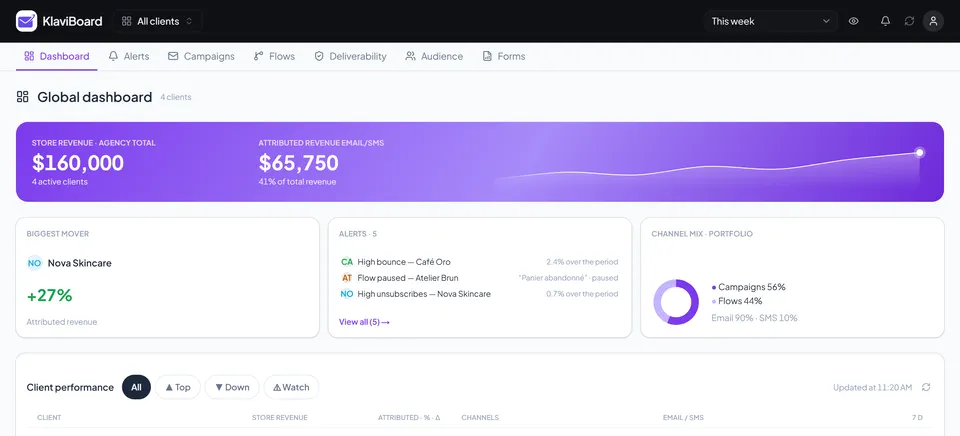
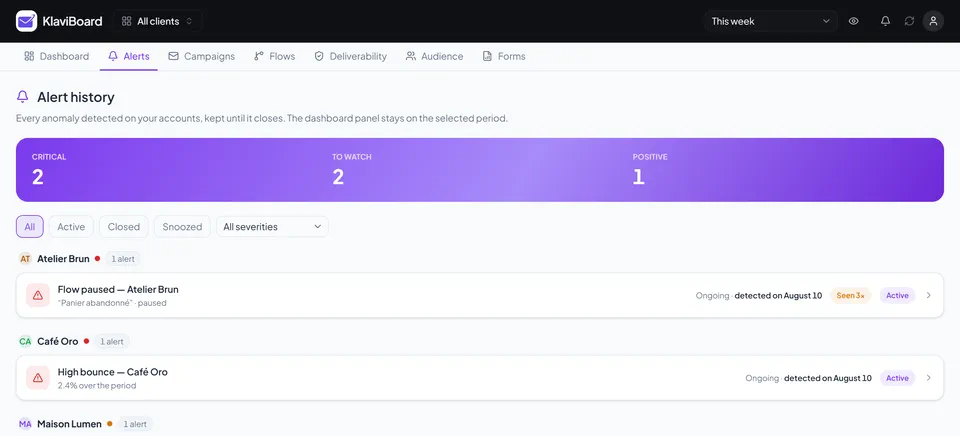
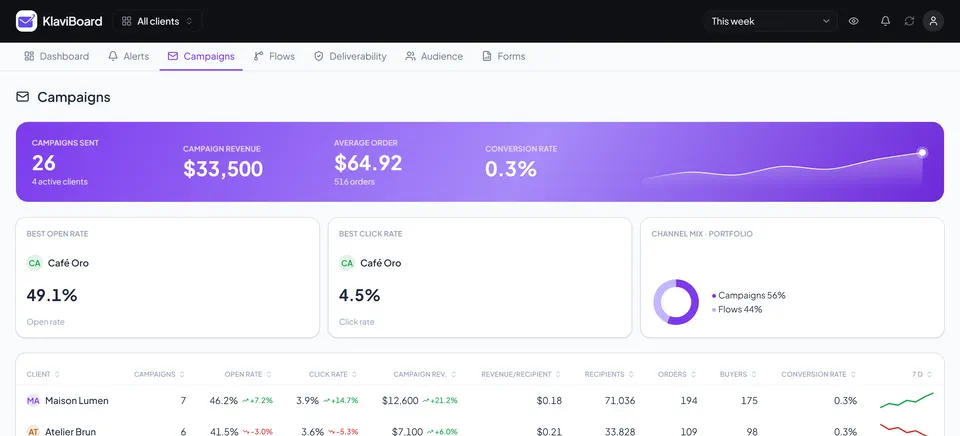
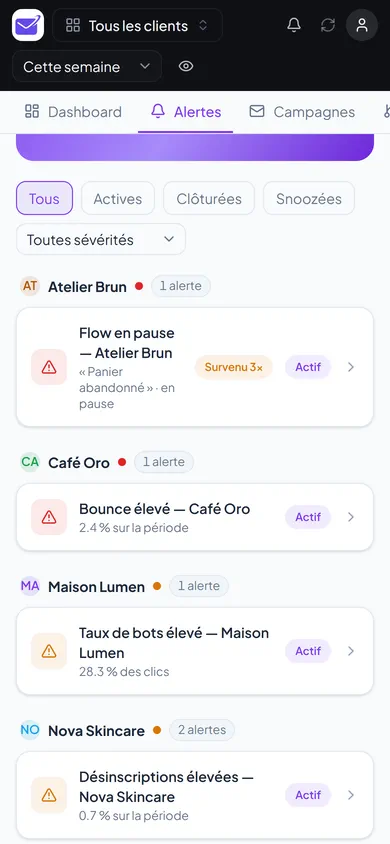
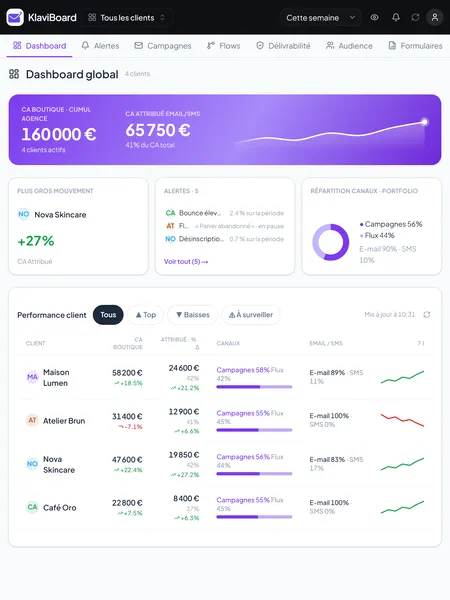
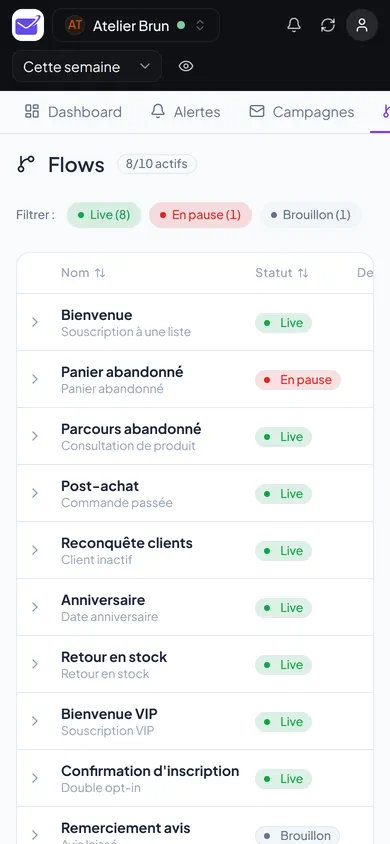
What you are looking at is the app itself, not a drawing. Four screens to get the idea: all your clients, two clients side by side, the alerts, the campaigns.
Attributed revenue, the campaign and flow split, the gap with the previous period. You see who is slipping without opening a single account.
In Klaviyo you look at one account at a time. Here you tick several clients and the same numbers line up over the same period. The gap between two stores reads at a glance, with no export.
Paused flow, bounces, spam complaints, bot clicks, unsubscribes. You open an account because there is a reason to, not to check.
Opens, clicks, bounces, orders, revenue per recipient, with the account average right next to it for context.
Flows message by message, deliverability by inbox provider, list growth, forms and client reports. They come further down this page.


It is the most ordinary move of the day, and the one that wears you down: log out of one account, into another, set the date range again, find the right screen. For a ten-second answer. Multiplied by every client, it ends up costing more than the work itself.
A client asks how their campaigns are doing. The answer fits in one sentence, the detour to go and find it takes five minutes.
Comparing two clients means holding the first one's numbers in your head while you open the second. Or copying them out somewhere.
Because every visit costs, you space them out. And it is exactly between two visits that a flow stops, a bounce rate climbs, a pop-up stops converting.
KlaviBoard does not replace Klaviyo and never writes to it. It removes the round trips: every account on one screen, the same period for everyone, and whatever breaks coming to you.
One key per client account, and then it runs on its own, every day.
You create a read-only API key in the client's account, paste it here, and the check runs itself: the account and its time zone, the placed-order metric, the flows, the campaigns. Two minutes per client.
Attributed revenue, campaigns, flows, deliverability, audience and forms for every account, compared with the previous period of the same length. You pick the period once, it applies to everyone.
13 rules sweep every account daily, 6 of them on the free plan. Anything off shows up in the notification bell, with the client name, the number and the period involved.
3 to 20 Klaviyo accounts on the same screen, over the period you choose. You check revenue, an open rate or the state of the flows without opening a single account. And when a number surprises you, you put two clients side by side.
A paused flow drops out of any list filtered on Live, exactly when it costs you the most. The 13 rules sweep every account daily and surface it, with the number and the date.
Every send is compared with the account average: what works and what slips shows up straight away. The client asks why the week dropped, you have the campaign responsible in front of you.
Laptop, tablet or phone: same view, same numbers, nothing to install. You glance at it on the train and call the client before you even reach the desk.
So look first. The demo opens the whole app with demo data. No sign-up, no key, nothing to install.
Fair question, and the honest answer starts here: Portfolio is free, it is built into Klaviyo, and it gives a very good overview. If all you want is the revenue of your accounts on one screen, use Portfolio. It stops at the explaining part: it shows what is running and how much it brings in, not why a rate collapses.
| Capability | Klaviyo Portfolio | KlaviBoard |
|---|---|---|
| Consolidated multi-account view | ✓ Free and native | ✓ Included |
| Paused flow | – Not flaggedThe list only shows live flows. | ✓ Detected and dated |
| Anomaly alerts | – None | ✓ 13 rules, checked daily |
| Deliverability: bounce, spam, provider | ◐ PartialDelivery rate only. | ✓ By bounce type and by inbox provider |
| Revenue per flow step | ◐ PartialFlow total only. | ✓ Message by message |
| Forms and pop-ups | – Not covered | ✓ Views, submissions, conversion |
| Client reports | ◐ CSV export | ✓ 6 branded reports, shareable |
Portfolio tells you how much. KlaviBoard tells you why.
You pay for the number of accounts you manage. If a client doubles their list, your subscription does not move.
Two months free if you pay yearly. Keys are encrypted with AES-256-GCM, never sent to the browser, and the interface only shows the last four characters. Read-only: nothing is written to your clients' accounts.
They are encrypted with AES-256-GCM, decrypted only at the moment of the call to Klaviyo, and never sent to the browser. The interface only shows the last four characters. And nothing forces you to create a key to make up your mind: the demo is open, with no sign-up.
No, never. KlaviBoard reads, it does not write. It displays the data, catches anomalies and analyses campaigns, but it touches nothing inside Klaviyo.
Portfolio is free and gives a very good revenue overview. It does not tell you why a rate collapses, or that a flow has stopped. KlaviBoard connects through a read-only API key, on as many accounts as you manage, and adds anomaly detection, deliverability, audience, forms and reports.
The free plan takes 3 accounts, no credit card, with all 8 tabs, 6 of the 13 rules and the Full Report. You move to a paid plan the day you manage more accounts, or when you want the campaign detail and the 6 reports.
If the account has SMS enabled, an email / SMS switch appears on its own and flips the numbers. On accounts without SMS it never shows up, which keeps the screen clear.
The first 50 paying subscribers keep −40% for life, as long as the subscription stays active. The discount applies itself at checkout, there is no code to type. It does not apply to the free plan, which is free anyway.
Connect a first account in two minutes, and see what it looks like with all your clients in one place.